SEO settings
Meta tags, Open Graph and indexing of the public booking page - defaults for the whole account, overrides per branch and what is worth doing first.
SEO settings
The SEO part determines how search engines see your booking page and what a link looks like when shared in a chat or on social networks. You fill in the title and description and optionally set what should be indexed.
Where to find it
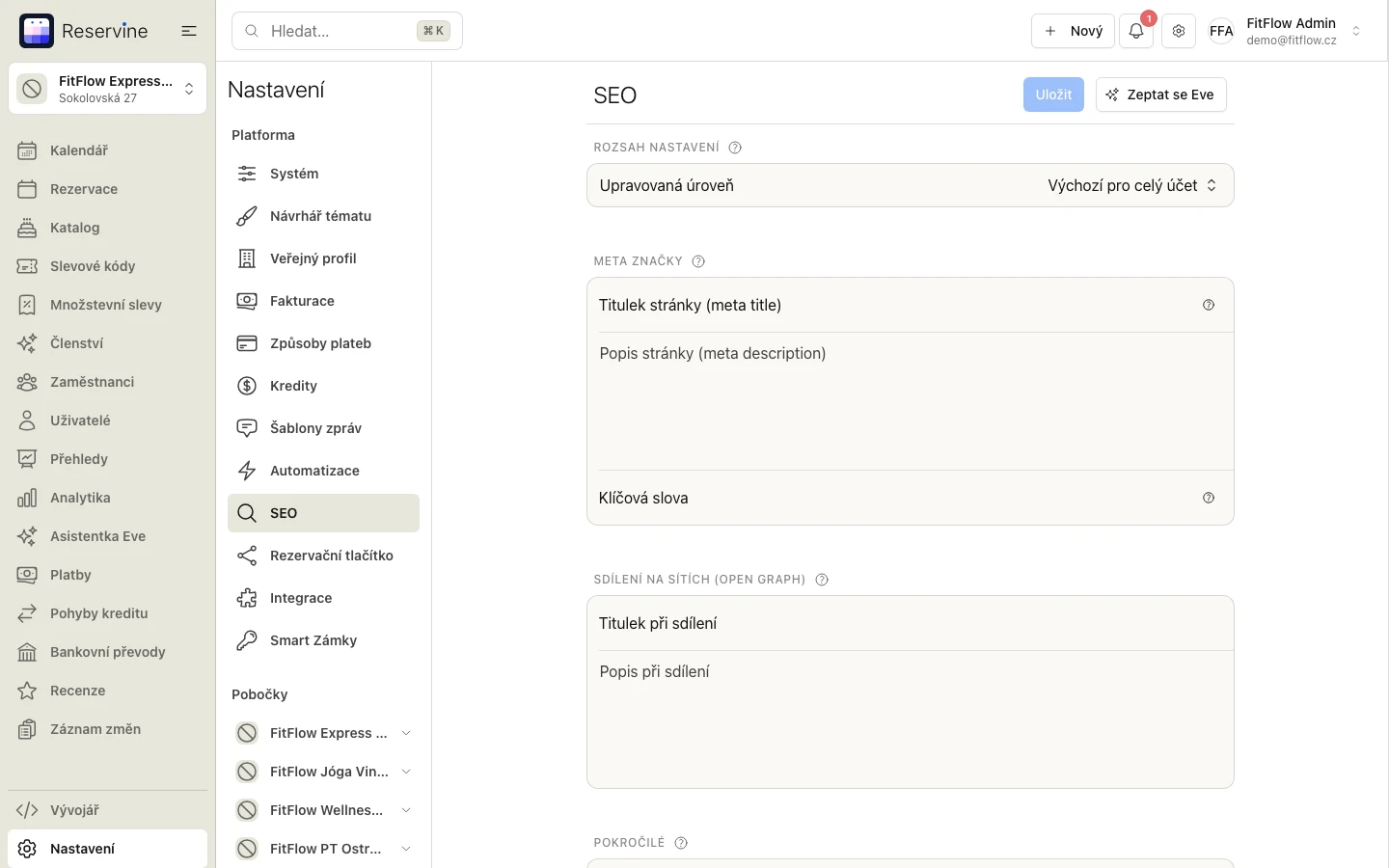
Settings → SEO (Nastavení → SEO). At the top you pick the Edited level: either Default for the whole account, or a specific branch.
How inheritance works
- Default for the whole account applies to every branch that does not override the value itself.
- A branch inherits everything it does not fill in itself. You override only the fields that should differ.
- The Restore inherited values button deletes the branch's overrides and returns it to the account defaults.
If you leave a field completely empty, the title and description are generated automatically from the branch name and description.
What you set
Meta tags
| Field | What it is for | Recommendation |
|---|---|---|
| Page title (meta title) | The heading in search results | Up to 60 characters, business name + what you offer + city |
| Page description (meta description) | The text under the heading in results | One or two sentences on why to book with you |
| Keywords | Separate with commas | Most search engines ignore them today, but they do no harm |
Social sharing (Open Graph)
The Sharing title and Sharing description determine what a link looks like when shared in a chat or on social networks. When you leave them empty, the meta tags are used.
Advanced
| Field | What it does |
|---|---|
| Canonical URL | The full address search engines should treat as the main version of the page. Useful when the same content runs on a custom domain and on *.reservine.me. |
| Hide from search engines (noindex) | The page will not appear in search results and disappears from the sitemap. |
| Do not follow links (nofollow) | Search engines will not follow links from this page. |
Change the canonical URL and indexing only if you know why. Enabled noindex means nobody will find your booking page through Google.
Steps
- Open Settings → SEO and leave Default for the whole account selected.
- Fill in the Page title and Page description.
- Optionally fill in the Open Graph title and description if they should differ when shared.
- Save. The admin confirms with the message SEO settings saved.
- Switch to a branch that needs a different title (another city, another offer) and override only the affected fields.
What makes a bigger difference than meta tags
Search engines mainly rate the content of the public page. Before tuning keywords, check:
- a clear branch name and description in Basic details
- filled-in services with prices
- quality photos in the gallery
- a consistent address and contact
- reviews enabled on the booking page
Most common problems
| Problem | What to check |
|---|---|
| Google shows the old title | Search engines re-index the page with a delay of days; the setting is saved. |
| A branch ignores the defaults | It has its own overrides; use Restore inherited values. |
| The page disappeared from search | noindex enabled on the account or branch. |
| The settings could not be saved | Try again; the message SEO settings could not be saved means a server error. |
Frequently asked questions
Do I have to fill in SEO for every branch? No. Fill in the defaults for the whole account; override a branch only when it should have a different title or description.
Where do I see what the link looks like when shared? Paste the booking page address into a chat or an Open Graph preview tool; the title and description from the Social sharing section are used.