Integrate
TTLock and Nuki smart locks, the reservation button, custom domain, SEO, marketplace extensions and credits - everything that connects Reservine to the outside.
Integrate
This section covers everything that connects Reservine to the outside world: doors, your website, your domain, search engines and paid add-ons. Every page starts with where to find the feature in the admin.
What belongs here
Smart locks
A client with a reservation gets a PIN valid only during the reservation time. You do not have to hand over anything.
| Page | What it is for |
|---|---|
| Smart locks overview | One window: provider, connecting, assigning to a branch, a test PIN |
| Connecting TTLock | Preparing the lock and gateway, signing in with a TTLock account, assigning to a branch |
| Connecting Nuki | Nuki Web account, API token, assigning to a branch |
| Smart locks: status and logs | Lock status and battery, synchronisation, re-applying PINs, access log |
Your website and domain
| Page | What it is for |
|---|---|
| Reservation button | The script and the <reservine-button> element: booking opens directly on your website |
| Custom domain | The booking page at booking.yourcompany.com via a single CNAME record |
| SEO settings | Meta tags, Open Graph and indexing for the whole account and individual branches |
Extensions and credits
| Page | What it is for |
|---|---|
| Extensions | The add-on marketplace, trial period, subscription and its cancellation |
| Credits and billing | The balance for SMS and subscriptions, top-ups, automatic top-up, invoices from Reservine |
Where to find it in the admin
| Path | What you do there |
|---|---|
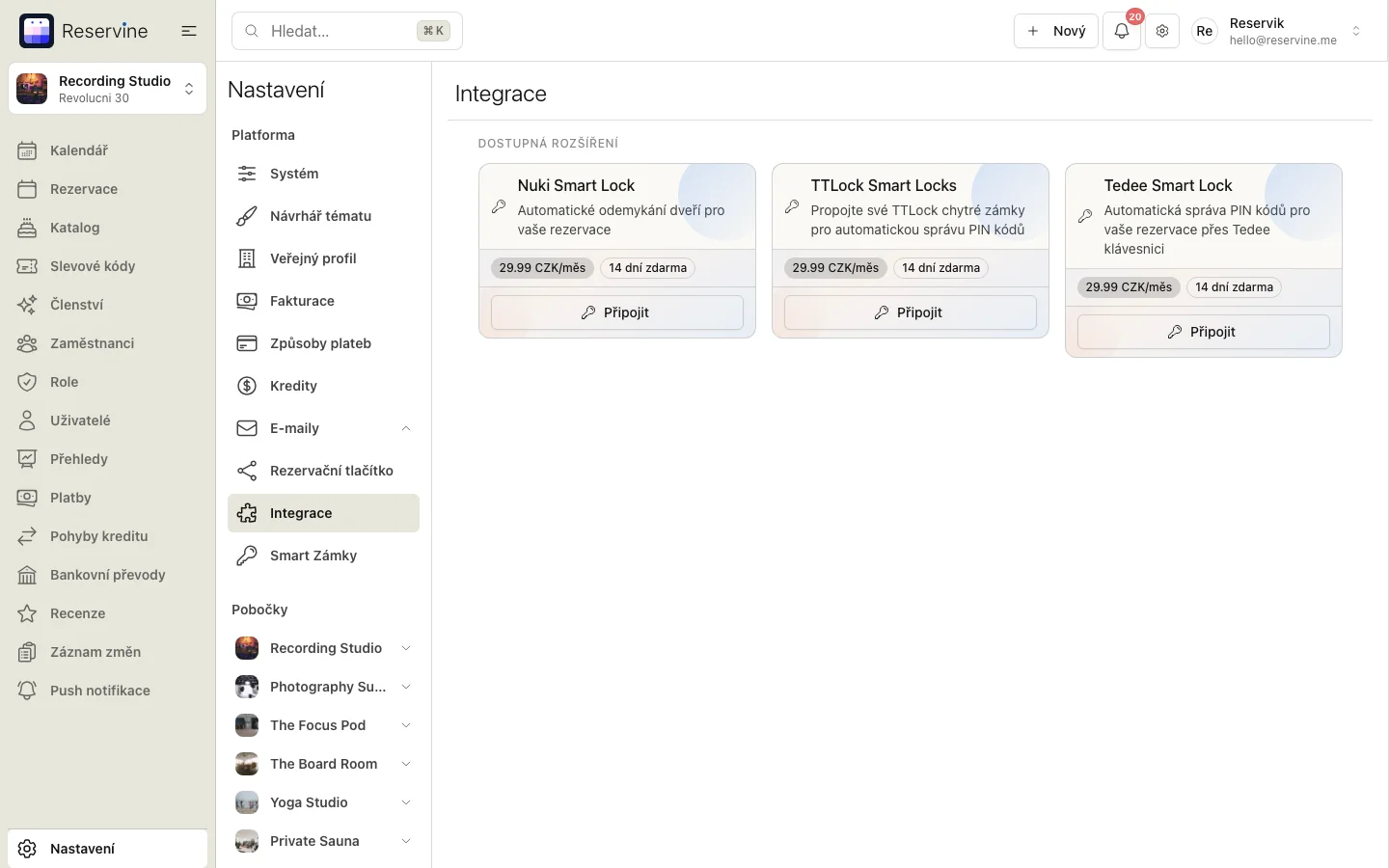
| Settings → Integrations | Activating extensions, connecting a TTLock, Nuki or Tedee account, managing subscriptions |
| Settings → Smart locks | Lock status, synchronisation, access log; Manage locks at a branch |
| Settings → Reservation button | Shared link, QR code and the button code generator |
| Settings → Public profile | Domains and public contact details |
| Settings → SEO | Meta tags and indexing |
| Settings → Credits | Top-up, automatic top-up, credit transactions, invoices from Reservine |
| Settings → Billing | Your company's billing details |
Recommended order for a new operation
- Set up the reservation button or at least the shared link, so you have a way to receive reservations.
- If you have your own website, connect a custom domain and fill in SEO.
- Top up credits and enable automatic top-up, otherwise SMS will stop going out.
- For a self-service space set up smart locks and verify them with a test PIN.
With smart locks everything happens in one window: pick the provider, connect the account, assign the locks to the branch and send yourself a test PIN. You then follow the status in Settings → Smart locks.
What is free and what is paid
| Feature | Price |
|---|---|
| Reservation button, shared link and QR code | Free, part of Reservine |
| Custom domain and SEO settings | Free |
| Smart locks (TTLock, Nuki, Tedee) | An extension with a subscription; free trial period, after it paid from credit |
| SMS to clients | From credit for every message sent |
You see the exact prices and the length of the trial period next to each extension in Settings → Integrations.
Frequently asked questions
Can I have smart locks on just one branch? Yes. You activate the extension for a specific branch; each branch has its own activation and locks.
Do I need a developer for the reservation button? No. You copy the code from the admin and paste it into the website as custom HTML. A developer is useful only with atypical websites.
What happens when credits run out? SMS to clients stop going out. Enable automatic top-up in Credits.
Related sections
- Set up: branch, services, opening hours.
- Automate and AI: notifications and message templates that rely on credits.
- Sell and retain: payments and Stripe Connect.