Analytics
What the Overview, Demand, Customers, Acquisition and Sales tabs show, how to pick a period and branch, and what the numbers correspond to.
Analytics
Analytics answers five questions: how many reservations came in and at what value, when and with whom the demand is, who comes back, where visitors come from and what was sold besides the reservations themselves. Every number is calculated for the chosen period and compared with the previous one.
Where to find it
In the main admin menu click Analytics (Analytika). Only roles with the Analytics permission see the page; others do not have it in the menu.
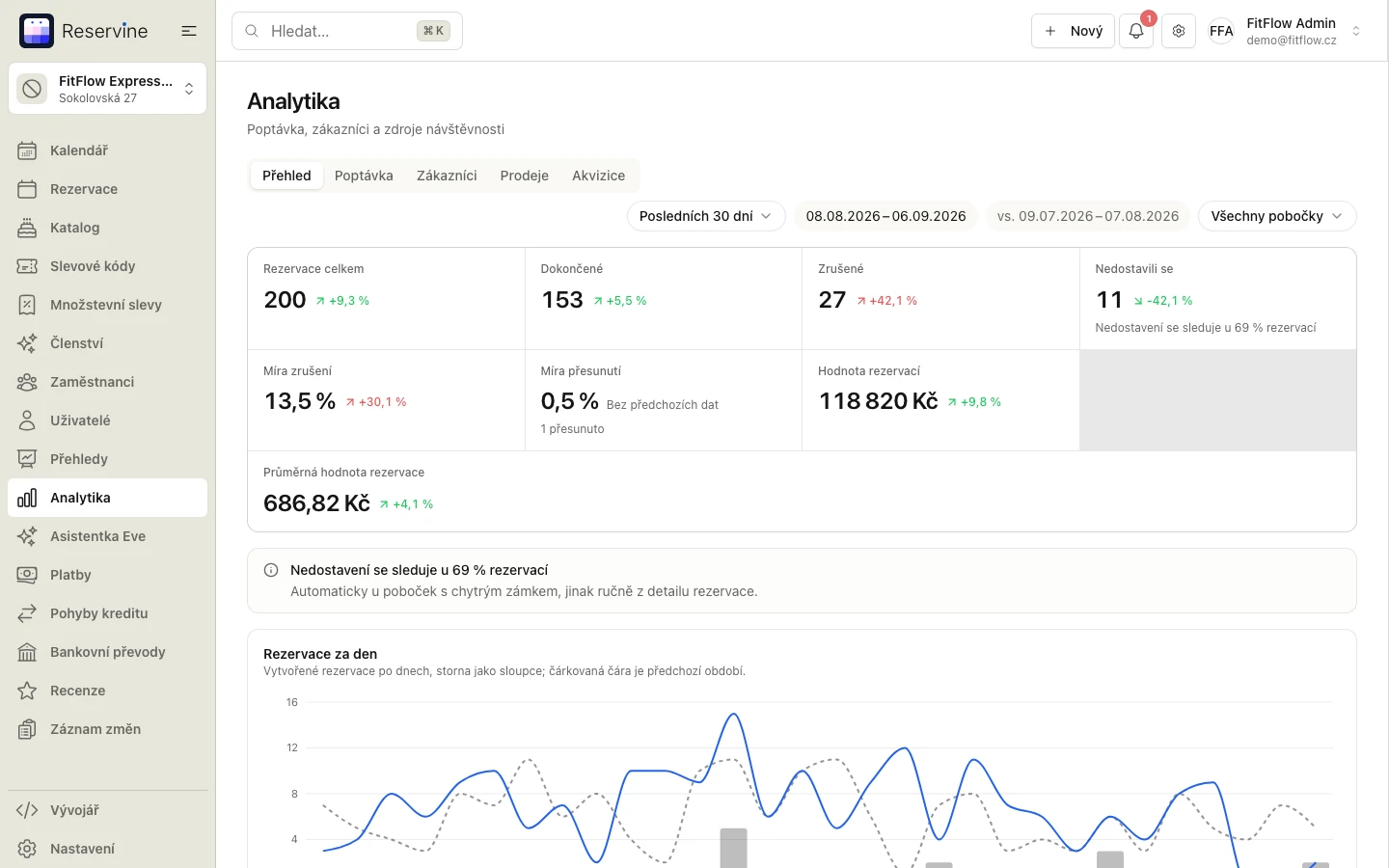
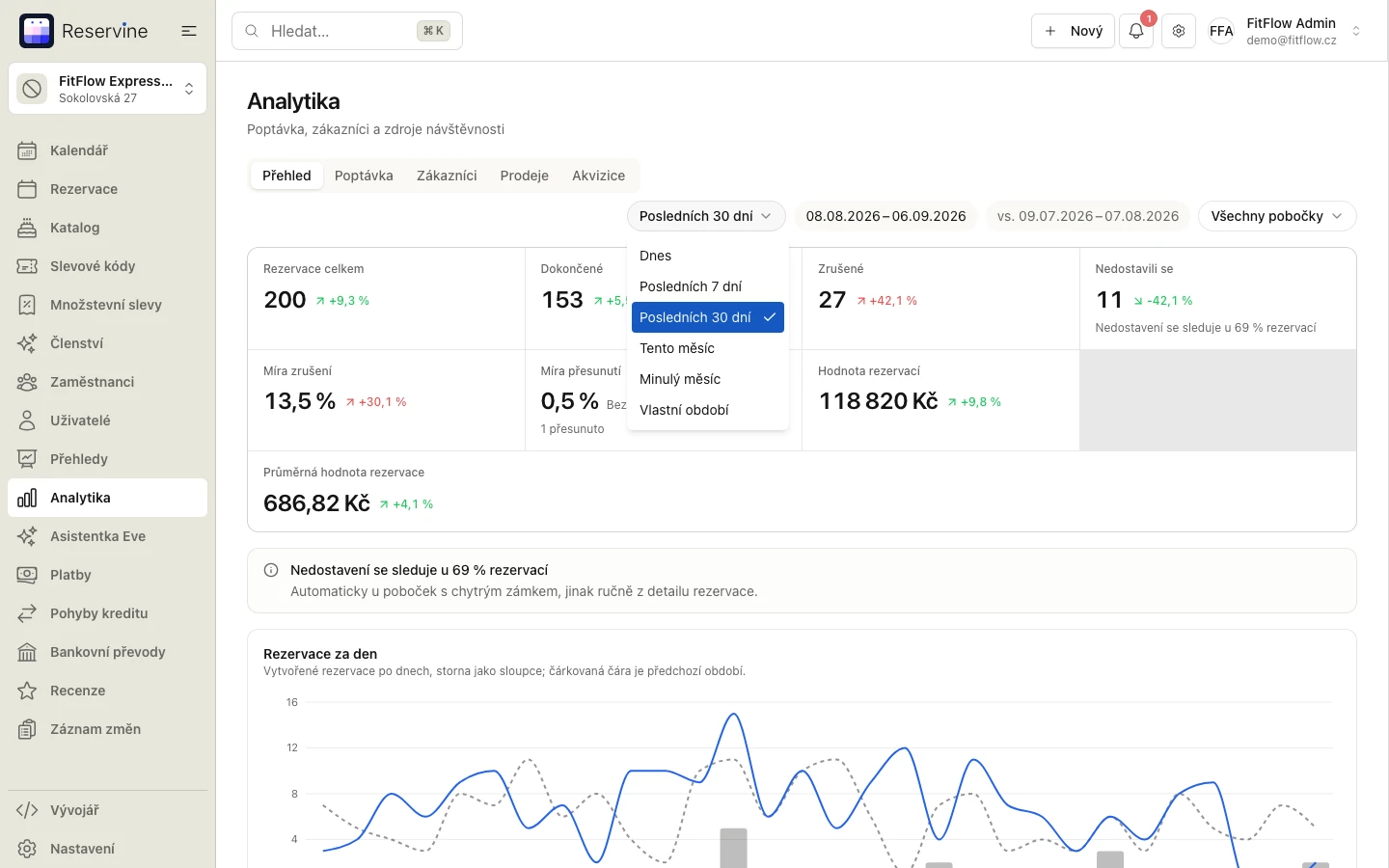
Period and branch
To the right of the tabs there are three filters:
- Period: Today, Last 7 days, Last 30 days, Last 90 days, This month, Last month or Custom period (From / To, at most one year).
- Comparison: every metric shows the change against the previous period of the same length. When the previous period is empty, you see "No previous data".
- Branch: the default is All branches. The filter is independent of the branch switcher in the admin header.
Times are calculated in the account's time zone; when a single branch is selected, in that branch's zone. The chosen tab remembers where you left off.
Overview
Seven numbers on one row: Total reservations, Completed, Cancelled, No-show, Cancellation rate, Booked value and Average booked value. Below them two charts:
- Reservations per day: created reservations by day, cancellations as columns, the dashed line is the previous period.
- Booked value per day.
Next to Total reservations there is a chip with the number of rescheduled reservations and the reschedule rate.
Booked value is the price of the reservation at the moment it was created, not the payments actually received. You will find actual revenue in invoices and in the payments overview.
Completed and no-shows
A reservation is completed when its last slot has ended and it was not cancelled. A no-show is recorded only where there is a source:
- automatically at branches with a smart lock, based on the first PIN unlock within the slot window,
- manually from the reservation detail in the Attendance section (Mark as attended / no-show).
Analytics shows a banner "No-shows are tracked for X % of reservations" so it is clear which part of the data you can trust.
Demand
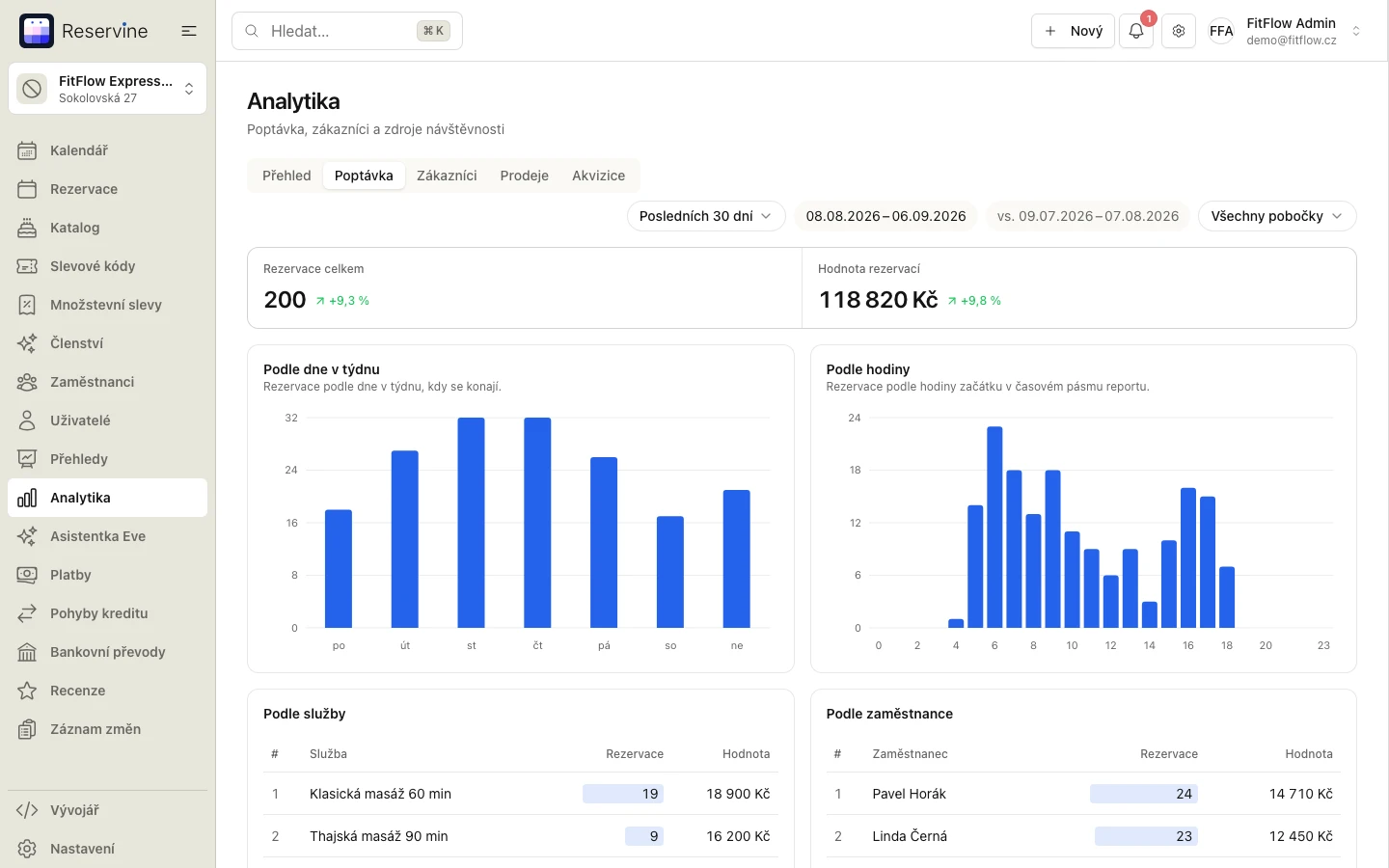
Answers the question of when and with whom people book:
- By day of week and By hour (start hour in the report's time zone),
- By service, By employee, By branch with value and share,
- Utilization: the share of offered slot capacity that was booked, per branch. Without configured slots you will see "No capacity data".
- Blocks per reservation: how many slots a reservation contains, with median and average.
Customers
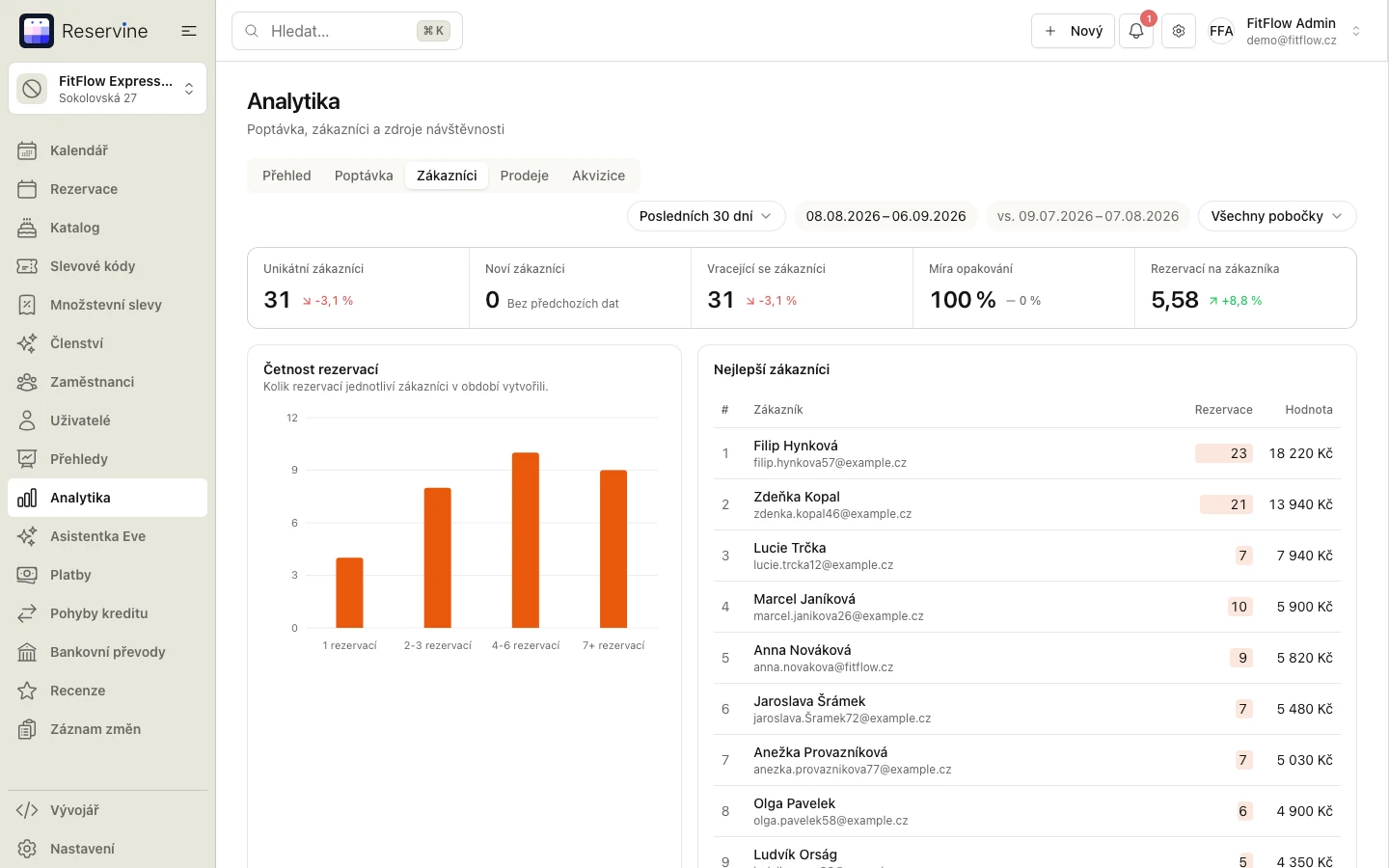
- Unique customers, New customers, Returning customers, Repeat rate, Reservations per customer.
- Reservation frequency: how many customers made 1, 2, 3+ reservations.
- Top customers: ranked by value, with an Open customer detail icon. The detail shows all-time and period-specific counts, first and last visit, membership orders, redeemed vouchers and the latest reservations.
Names and emails are visible only to roles with the ClientsAll permission. Others see "Customer #1", "Customer #2"; the ranking and values are exact.
Acquisition
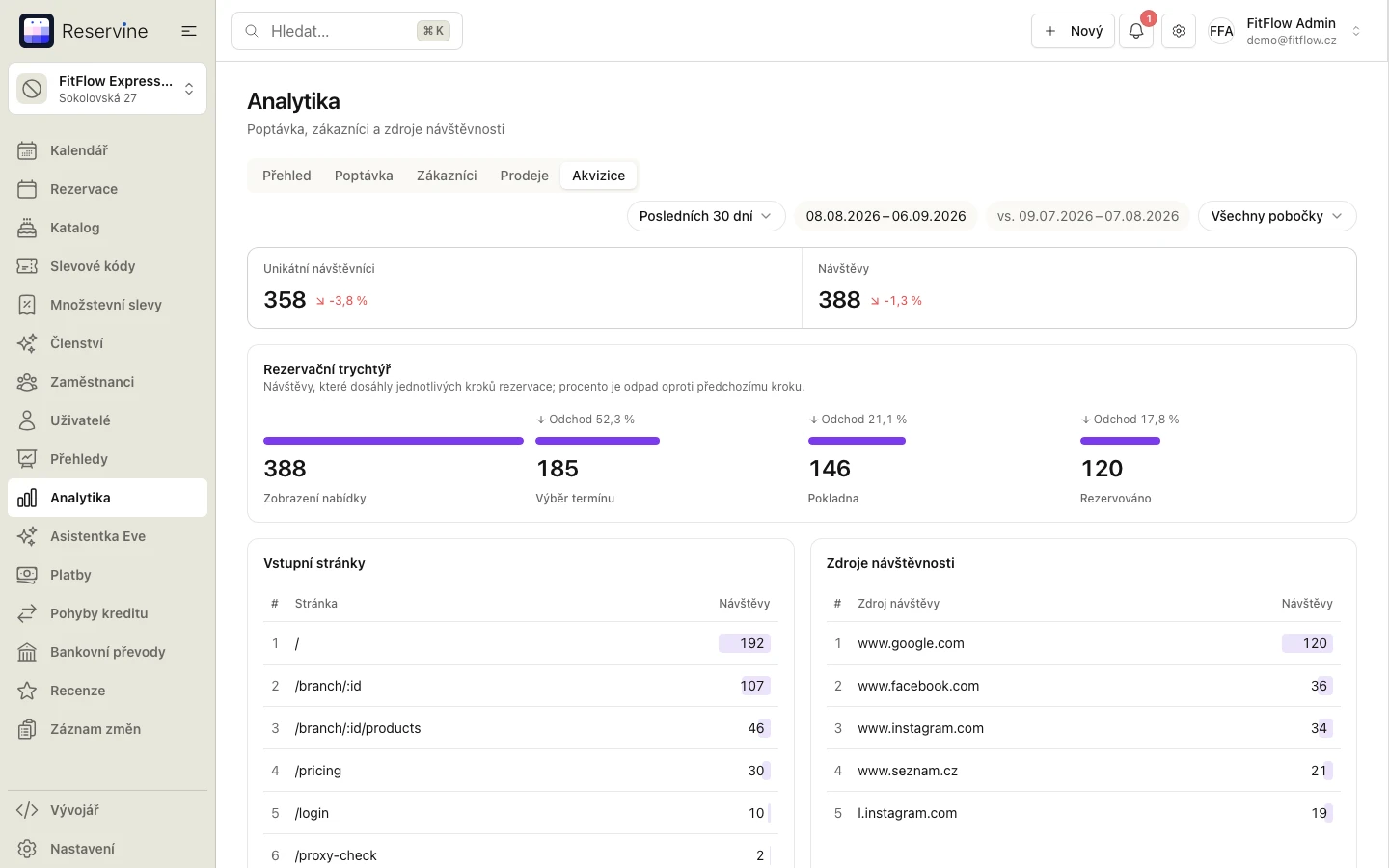
The only tab that is not based on reservations but on the behaviour of booking page visitors:
- Unique visitors and Visits (a visit ends after 30 minutes of inactivity).
- Booking funnel: Offer viewed → Slot picked → Checkout → Booked, with the drop-off between steps.
- Landing pages and Referrers.
- Campaign parameters: utm_source, utm_medium, utm_campaign, utm_term, utm_content.
- Reservation attribution: reservations and their value assigned to the campaign that started the visit.
Without cookie consent a visitor is counted anonymously and only within the day; returning visitors are recognised only after consent. The share of visitors with consent is shown on the tab.
You will see the message "Traffic data is not available" when event collection for your account is not running yet or when the analytics service is temporarily not responding. The other tabs are not affected.
Sales
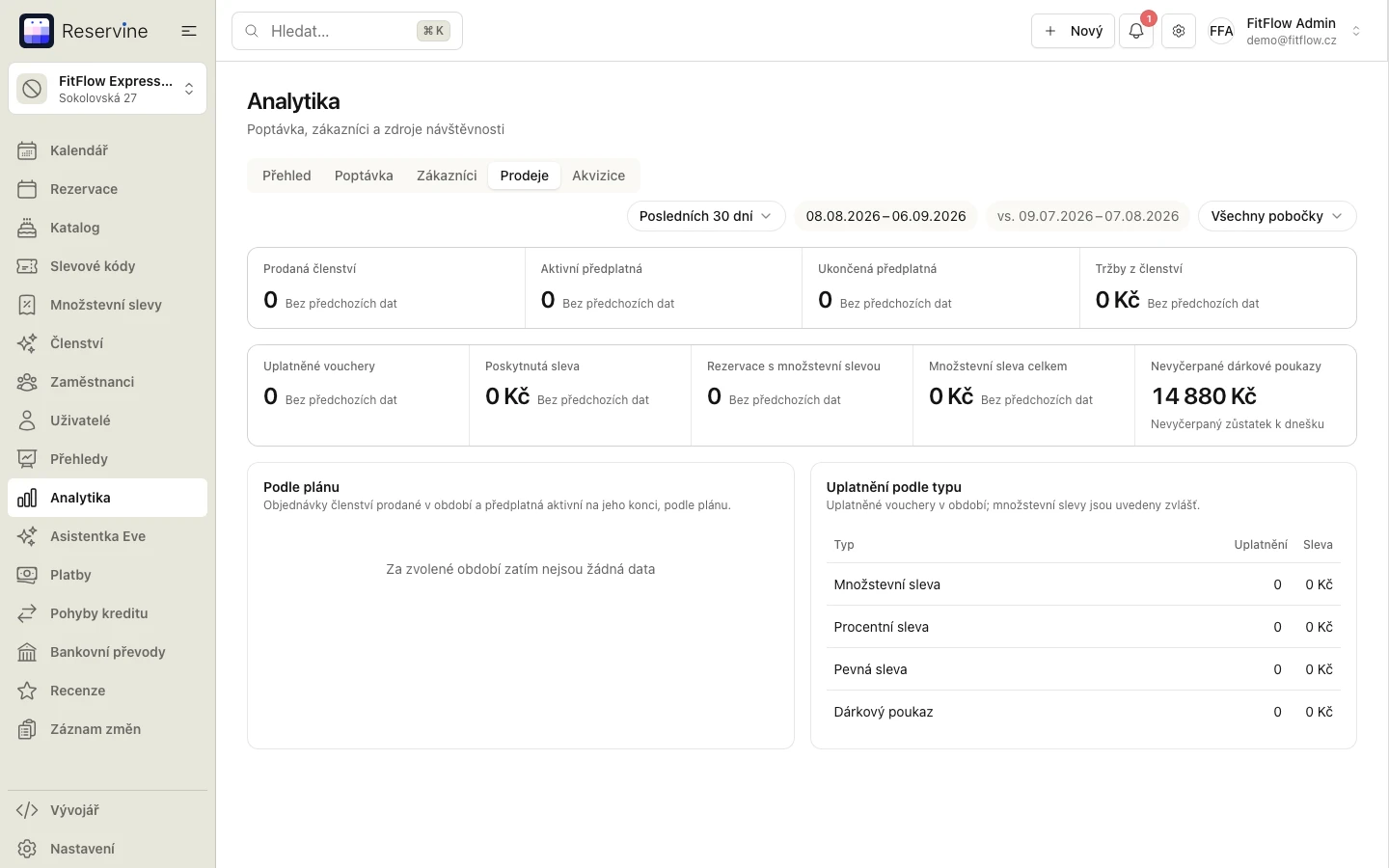
What was sold alongside reservations:
- Memberships sold, Active subscriptions, Ended subscriptions, Membership revenue and the By plan table.
- Redeemed vouchers and Discount granted, split into Gift voucher, Percentage discount, Fixed discount and Quantity discount.
- Reservations with a quantity discount and Total quantity discount.
- Outstanding gift balance: the balance as of today, regardless of the period.
Tips
- The tables under the charts (By service, By employee, Top customers) have a share bar after the value; the first row shows at a glance by how much it leads.
- When the period is empty, the Show last 30 days button takes you back to the most common view.
- Measure campaigns with UTM parameters in links to the reservation button; without them the reservation falls under Direct.
- To find out whether automations are working, watch the Repeat rate on the Customers tab.