Price list and pricing rules
Price per time interval, VAT rate, time-based pricing rules and the rules for changes, cancellations and booking lead time. With real screenshots.
Price list and pricing rules
The reservation price is made of the price per time interval; on top of that you set VAT, optional pricing rules (e.g. a different price in the evening) and the bounds: until when the client may change or cancel a reservation and how far ahead they may book. Everything is on one page and one Save button confirms it.
Where to find it
In the admin open Settings → your branch → Reservations (Nastavení → provozovna → Rezervace). Price settings are tied to the reservation mode chosen at the top of the same page.
Step by step
1. Set the price per interval and VAT
In the Time slot pricing section enter the price for one interval (1) – the admin immediately recalculates the price per hour. Fill in the VAT (2) rate according to your registration; the Price includes VAT (3) switch determines whether the entered price is with tax or VAT is added on top.
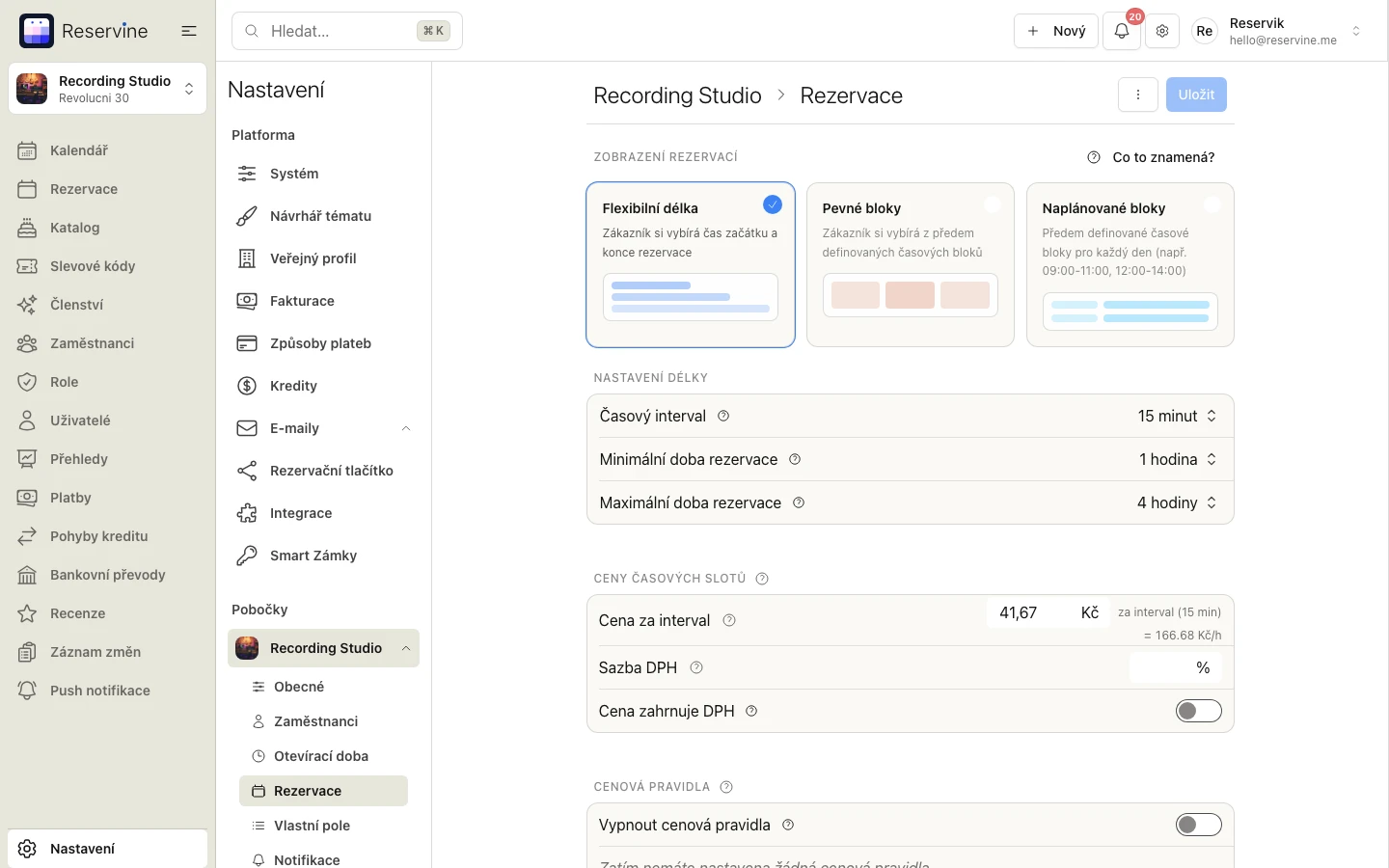
Below the price list you see an indicative revenue estimate based on the entered price and the number of reservations per day – handy for a quick calculation.
2. Optional: pricing rules
Pricing rules let you change the price by time – for example a day and night rate or a discounted weekend. Click Add new pricing rule and define the period and the price; rules can also be switched off entirely with the toggle.
A rule is typically tied to:
- a time range within the day,
- specific days of the week,
- a from–to validity.
Outside the rules the base price from step 1 applies.
3. Rules for changes and cancellations
Define until when the client may change a reservation (1) and until when cancel it (2) – e.g. a change no later than an hour ahead, a cancellation two hours ahead. After the slot the client can no longer edit the reservation themselves.
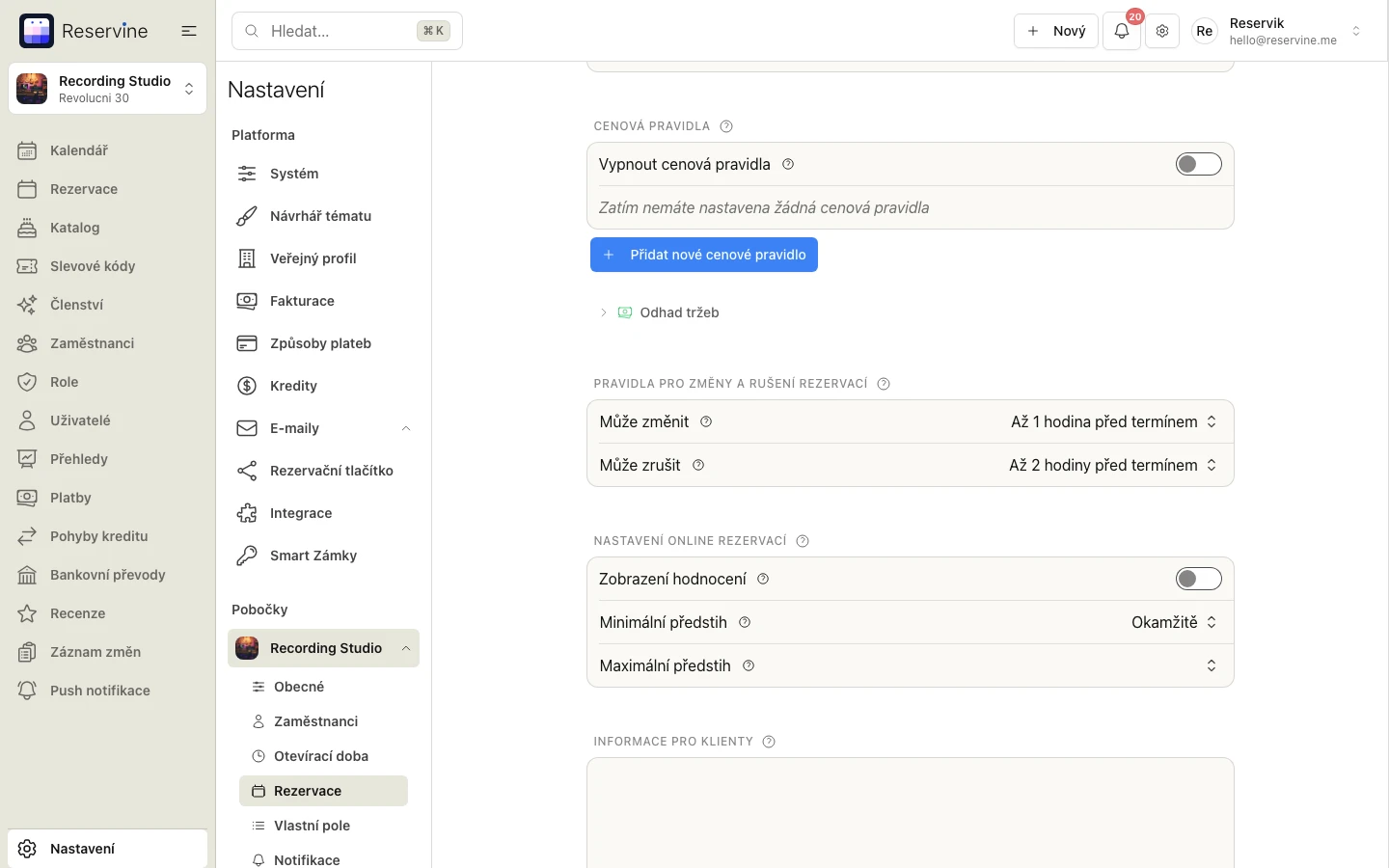
What happens after the limit passes and how you move a reservation from the admin is described on the Rescheduling and cancellation page.
4. Booking lead time and ratings
In Online reservation settings you define the minimum and maximum lead time for booking – from "immediately" to many days ahead (2). The Show ratings (1) switch controls whether reviews are shown on the booking page.
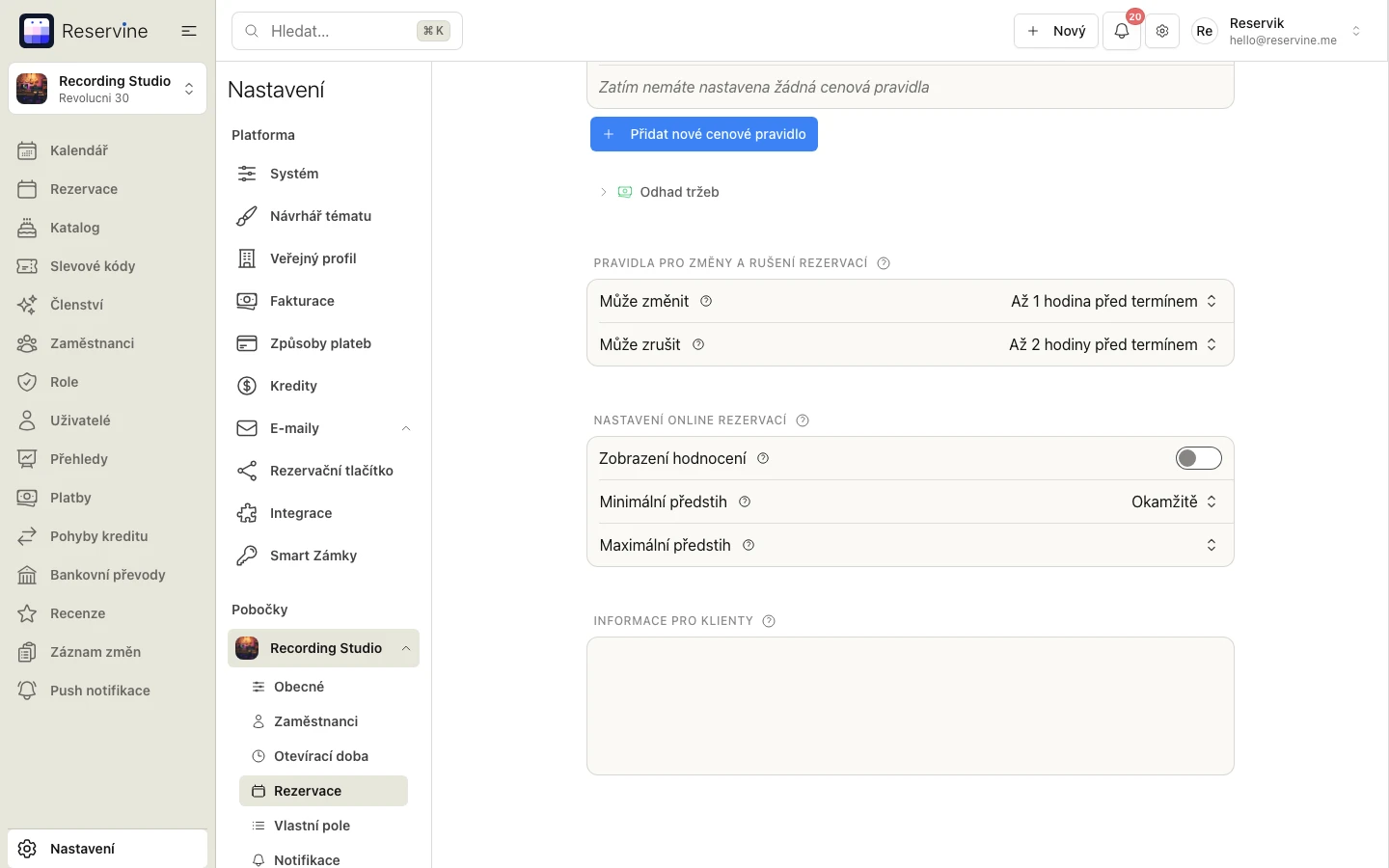
Do not forget to save
All sections on the Reservations page are confirmed by one Save button in the top right. Price changes apply to new reservations; reservations already paid are not recalculated.
How prices work by mode
- Flexible duration: you work with the price per interval, rules by time and day and the minimum/maximum reservation duration. Reservation price = price per interval × number of intervals.
- Fixed blocks: the price per block matters; rules are tied to specific blocks.
- Scheduled blocks: you define the blocks by hand and the price is tied to the specific scheduled block.
Internally prices are kept in smaller units than the customer interval, so some block prices may be rounded to hundredths. The price the customer sees on the public page is always authoritative.
What happens when the mode or interval changes
When you change the reservation mode or the block or interval length, the admin warns you that existing rules may not make sense after the change, and the time slots are regenerated. You get a dialog and decide what to do with the rules.
After every change of mode or interval, make one test reservation and check the real price on the public page. The same price may suddenly be split completely differently after a block change.
Discounts on top of the price list
The price list determines the full price. Discounts are calculated from it and applied in the cart:
- Quantity discounts by the number of slots in the order,
- Vouchers and discount codes,
- discounts from memberships.
Frequently asked questions
Will the price of reservations already created change? No. The price is calculated at the moment the reservation is created – a price list change affects only new reservations.
How do I make a night rate? Add a pricing rule with a time range (e.g. 20:00–06:00) and a different price per interval. Outside the rule the base price applies.
Next step
After prices it is worth fine-tuning the branch gallery and then making your first test reservation.
Scheduled time slots
How scheduled blocks work, where you set them and why they differ from both the flexible and the fixed mode.
Quantity discounts
Automatic discounts by the number of slots in one order – how to set up tiers, what the customer sees in the cart and how the discount meets discount codes.