Vouchers and discount codes
How to create a percentage discount, a discount in CZK or a gift voucher, set validity and limits, share the code by link or QR code and track its use.
Vouchers and discount codes
Discount codes are a simple tool, but that is exactly why it pays to keep them tidy. When they are set up well, they support sales. When they are not, they make chaos at the till.
Where to find it
In the admin open Discount codes (Slevové kódy) in the left menu. Automatic discounts by the number of slots have their own Quantity discounts page and membership plans the Memberships page.
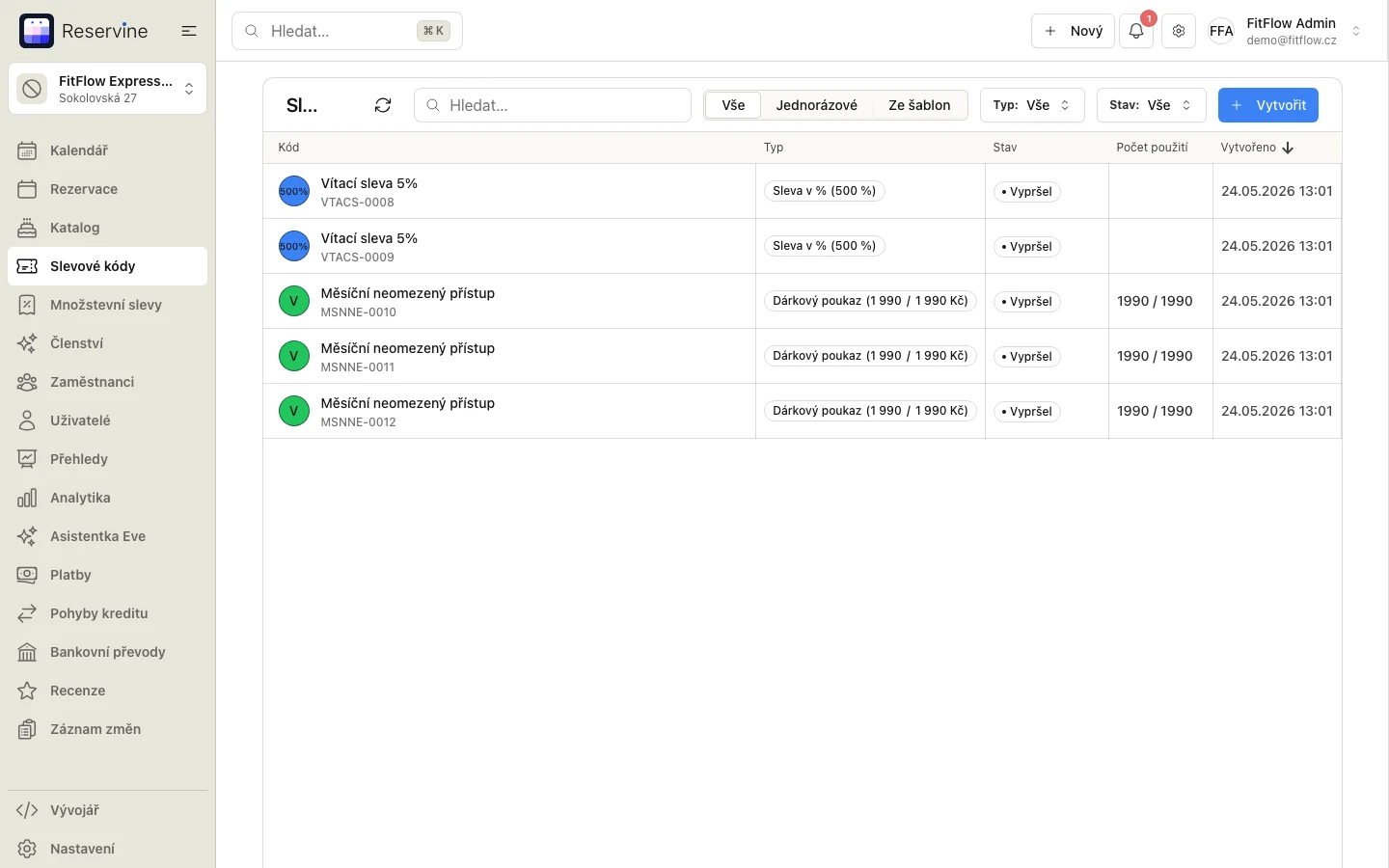
Voucher types
| Type | What it does | When it suits |
|---|---|---|
| Discount in % | A percentage discount off the total value in the cart | Marketing promotions, first visits |
| Discount in CZK | A fixed discount amount off the total price | Compensation, partner campaigns |
| Gift voucher | A voucher with credit that the customer draws down gradually | Selling prepaid value, gifts |
Creating a discount code
- Click New and choose the Voucher type.
- Fill in the Name and optionally the Code. You can leave the field empty; the code is generated automatically.
- Enter the value: Percentage discount or Total value in CZK.
- Set the Number of uses, that is, how many times the code can be redeemed in total.
- In the Validity section choose Available from and Available until: Unlimited, or Until a date.
- Optionally enter a Minimum value of the order below which the code does not apply.
- For discounts choose Charge per: Whole reservation deducts one use for the whole reservation, Each slot deducts one use for every slot separately.
- In the Apply to field pick Whole order, or X cheapest items and enter the Number of items.
- Save.
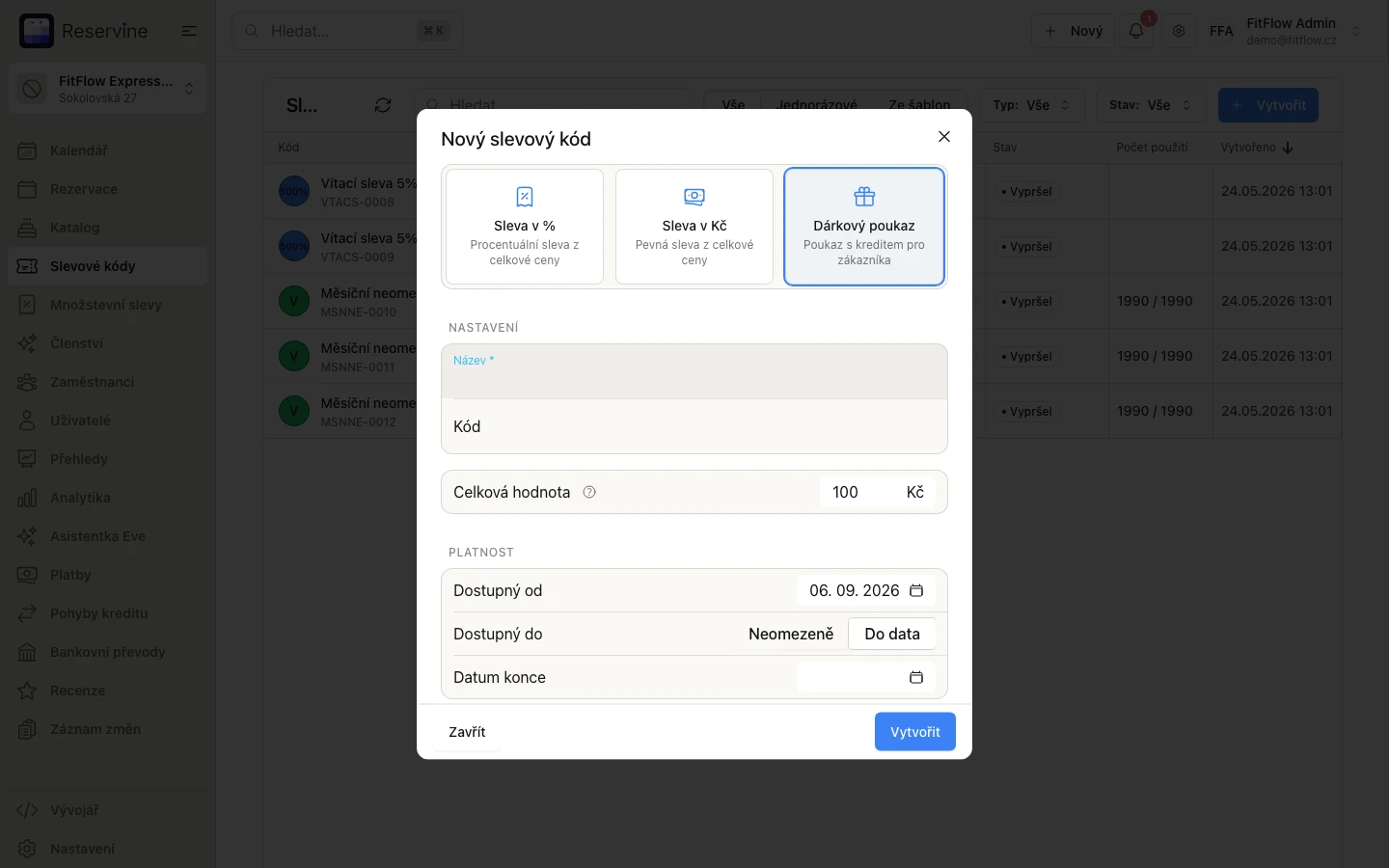
The Charge per choice changes the result fundamentally. With three slots at 200 CZK and a 100 CZK discount per each slot the customer saves 300 CZK; with the discount per whole reservation only 100 CZK.
The Minimum bookings field in the same form turns the code into an automatic quantity discount. Leave it empty for an ordinary discount code.
Sharing the code
In the code detail you will find a Link and a QR code:
- The Link leads to your booking page and the code is pre-filled for the customer automatically. It suits an email, SMS or social media.
- Print the QR code on flyers, business cards or the shop window; after scanning, the same link opens.
Blocking and usage
- You can Block a code at any time (for example on suspicion of abuse) and Unblock it later.
- In the table you see the Status, Number of uses and Uses remaining.
- The Usage section in the code detail shows the reservations that redeemed the code, newest first, including the discount amount.
Automatically created codes
The Origin filter distinguishes One-time codes that you created by hand from codes From templates that came from a membership plan. For codes created as compensation or by an automation you also see the Reason (Compensation, Automation), see Automations.
How the customer redeems the code
The customer enters the code in the cart into the discount code field. After redeeming, a Code XYZ row with the discount amount and a cross for removal appears in the price breakdown. Only one code applies in a single order; a manually entered code replaces any quantity discount. Details are in Cart and checkout.
Frequently asked questions
The customer reports that the code does not work. Go through four things in the code detail: Status (not blocked), Validity (Available from / until), Uses remaining and the Minimum value of the order. A cart below the minimum value rejects the code and shows how much the customer is short.
Can I use the code only for selected services? The code applies to the whole order or to the X cheapest items. A restriction to a specific service cannot be set.
How do I give a discount to just one customer? Create a code with a Number of uses of 1 and send them the Link from the code detail. The code is pre-filled for them in the cart.
Practical scenarios
- First-visit discount: Discount in % 15, code
FIRST15, unlimited number of uses, link on the website. - Christmas gift voucher: Gift voucher 1 000 CZK, automatic code, valid until a date, QR code on a physical card.
- Customer compensation: Discount in CZK 200, one code, number of uses 1, link by email directly to the customer.
Related pages
Invoices
How invoices are created in Reservine, where to find them, how to filter and download them and how they relate to refunding a card payment.
Memberships
Membership plans in the admin - percentage discount, fixed discount or bundle, one-time purchase and subscription, customer orders and the discount in the cart.